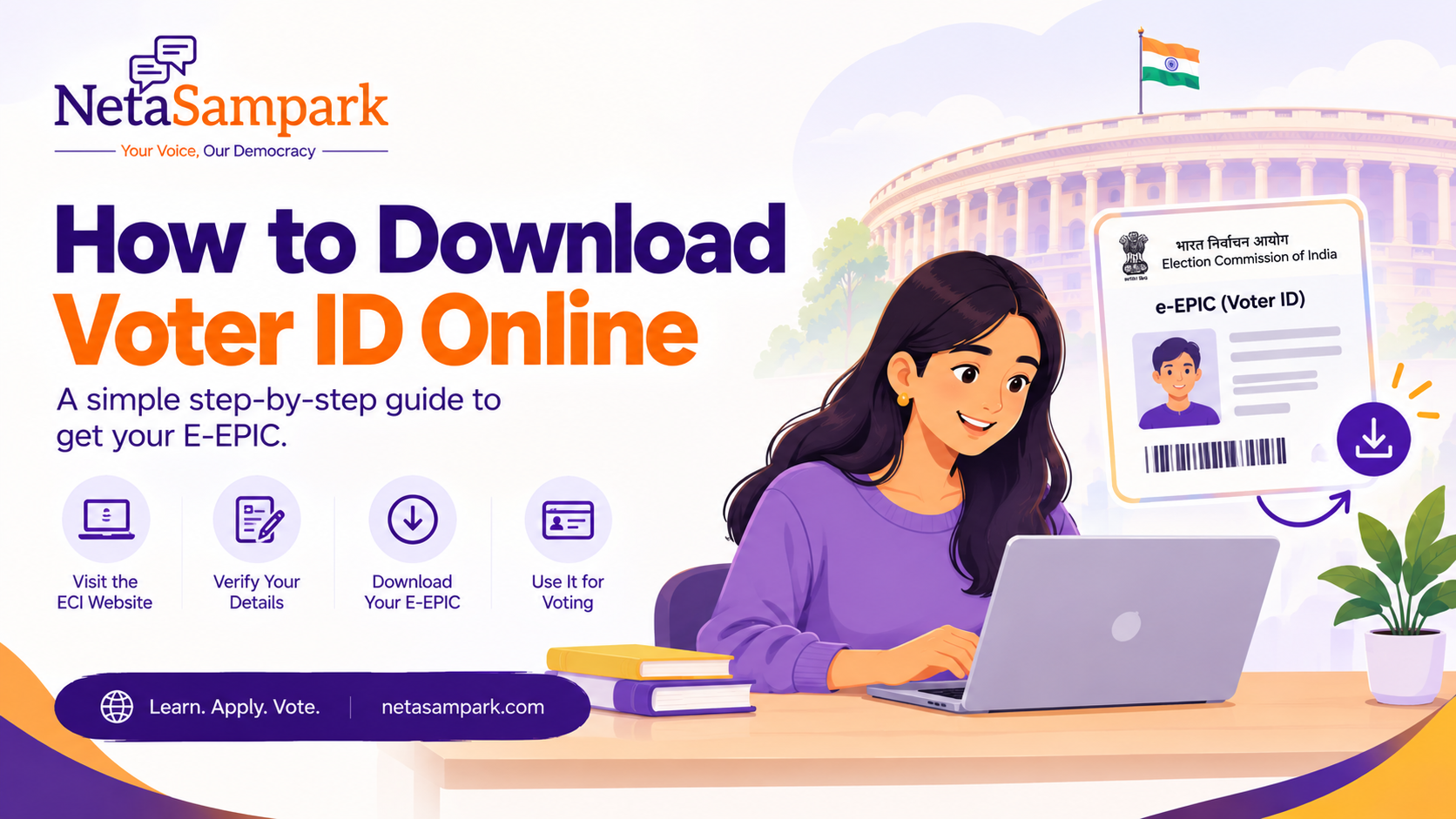
How to Download Voter ID Online: Complete Guide to E-EPIC
Want to download your Voter ID online? The Election Commission of India provides an electronic version of the Elector Photo Identity Card called e-EPIC.
Instead of carrying only a physical Voter ID card, eligible electors can access a digital copy through the Election Commission's official voter services.
In this guide, we'll explain how to download Voter ID online, what e-EPIC is, who can download it, what you need, what to do if you cannot download it, and how to access your voter details if you have lost your physical Voter ID.
Quick answer: You can access the ECI's official voter services and use the Download E-EPIC service to obtain a digital copy of your Voter ID. You will generally need to log in using your registered mobile number, email ID or EPIC number and complete the required verification.
Official ECI Links
Download your digital Voter ID:
ECI Elector Services – Download E-EPIC
Voter Services Portal:
ECI Voter Services Portal
Search your name in the electoral roll:
ECI Electoral Roll Search
The Election Commission currently lists Download Voter ID (E-EPIC) as one of its official elector services.
What Is an E-EPIC?
E-EPIC stands for Electronic Electoral Photo Identity Card.
It is the digital version of your Elector Photo Identity Card, commonly known as your Voter ID.
The Election Commission provides an online facility through its voter services for downloading an electronic copy of the EPIC.
In simple terms:
EPIC → Your Elector Photo Identity Card
EPIC Number → The identification number associated with your Voter ID
E-EPIC → Digital version of your Voter ID
The e-EPIC makes it easier to keep your voter identity document accessible digitally.
How to Download Voter ID Online
You can access the e-EPIC service through the Election Commission's voter services.
Step 1: Visit the official ECI voter services portal
Go to:
https://voters.eci.gov.in/
The current portal provides voter-related services including registration, electoral-roll search, application tracking, voter-detail updates and e-EPIC download.
Step 2: Log in or create an account
The current ECI portal provides login using a registered mobile number, email ID or EPIC number along with verification.
If you do not already have an account, follow the registration process shown on the portal.
Step 3: Look for the E-EPIC download service
After logging in, look for the option related to:
Download E-EPIC
The ECI currently lists this as an official elector service.
Step 4: Enter or confirm your EPIC details
Follow the information requested by the portal.
Depending on your account and voter record, you may need to provide or confirm your EPIC number and complete the required verification.
The ECI has previously documented e-EPIC downloads using an EPIC number or application reference number.
Step 5: Complete verification
Complete the OTP or other verification requested by the portal.
Make sure the mobile number you use is correctly associated with your voter account where required.
Step 6: Download your e-EPIC
Once your record is verified and the service confirms that your e-EPIC is available, download the electronic copy.
You can then store it securely on your phone, computer or another personal device.
What Do You Need to Download Your Voter ID Online?
Before starting, keep the following information available:
* Your EPIC/Voter ID number, if you have it
* Your registered mobile number or email ID
* Access to the OTP or verification method required by the ECI portal
* Your voter registration details
If you don't know your EPIC number, you can first search for your name in the electoral roll.
Search Your Name in Electoral Roll – ECI
You can also read our guide:
[What Is an EPIC Number? Meaning, Uses & How to Find It]
Can I Download Voter ID Without the Physical Card?
Yes, if you are eligible for the e-EPIC service and your voter record is available.
The purpose of e-EPIC is to provide electors with an electronic copy of their EPIC.
This is particularly useful if:
* You have misplaced your physical Voter ID
* You want a digital copy for your records
* You want to keep your voter identity document accessible on your phone
* You are travelling
* You want a backup copy of your EPIC
However, downloading an e-EPIC does not mean that your name automatically appears in the electoral roll.
Your voter registration should still be verified separately.
Can I Download Voter ID If I Lost My Voter ID Card?
Yes, losing your physical Voter ID does not necessarily mean losing your voter registration.
If your name is already present in the electoral roll, you can use the ECI's voter services to access your voter information and, where eligible, download your e-EPIC.
Start by searching for your name:
ECI Electoral Roll Search
Once you locate your voter record, you can use the official voter services to access the relevant EPIC services.
If you need a replacement physical EPIC, the ECI provides Form 8 for replacement of EPIC as well as other voter-detail updates.
Can I Download Voter ID Using My EPIC Number?
Yes.
Your EPIC number is one of the key identifiers associated with your voter record.
The ECI's current voter portal allows users to log in using their registered mobile number, email ID or EPIC number.
The ECI also provides electoral-roll and polling-station services based on EPIC information.
If you don't know your EPIC number, search for your voter record first.
What If I Don't Know My EPIC Number?
You can search for your name in the electoral roll using the Election Commission's official search service.
Search Your Name in Electoral Roll
The ECI allows voters to verify their registration through the electoral-roll search service, Voter Helpline App and the voter helpline at 1950.
Once you locate your voter record, you can use the available information to access further voter services.
For a detailed explanation, see:
[What Is an EPIC Number in Voter ID? Meaning, Uses & How to Find It]
Is E-EPIC the Same as Voter ID?
The e-EPIC is the electronic version of the EPIC/Voter ID.
Think of it this way:
Term Meaning
Voter ID / EPIC Physical Elector Photo Identity Card
EPIC Number Number associated with your EPIC
E-EPIC Electronic/digital version of the EPIC
Electoral Roll Official list of registered electors
The ECI currently describes the service as “Download Voter ID (E-EPIC)” and provides it through its elector services.
Is E-EPIC Valid?
The e-EPIC is the electronic version of the EPIC issued by the Election Commission.
However, voters should distinguish between having an identity document and being registered to vote.
The ECI makes clear that your name must appear in the electoral roll to vote.
Therefore:
E-EPIC = voter identity document
Electoral roll = voter registration record
You should verify both when preparing for an election.
Can I Use E-EPIC at the Polling Booth?
The E-EPIC is an electronic version of your EPIC.
For voting, the most important requirement remains that your name appears in the electoral roll.
The ECI also permits electors whose names are on the electoral roll to use specified alternative photo identity documents if they cannot produce their EPIC, subject to the applicable election instructions. In 2025, the ECI listed 12 alternative photo IDs for this purpose.
Therefore, don't confuse possession of a digital Voter ID with voter registration.
Always verify your name in the current electoral roll before election day.
What If My Mobile Number Is Not Registered?
This is a common issue when trying to access online voter services.
If the mobile number associated with your voter record is not available or needs updating, you may need to use the appropriate voter-service process to update your details.
The ECI provides Form 8 for correction of entries in the existing electoral roll, shifting residence and replacement of EPIC.
You can access the relevant services through:
ECI Voter Services Portal
If you are unable to resolve the issue online, you can also contact the voter helpline at 1950.
What If My E-EPIC Download Is Not Working?
If you cannot download your e-EPIC, try these steps.
1. Check your login details
Make sure you are using the correct registered mobile number, email ID or EPIC number.
2. Verify your voter record
Search your name in the electoral roll and confirm that your voter information is available.
3. Check your EPIC number
Make sure the EPIC number you enter matches your voter record.
4. Try again later
Government portals can occasionally experience temporary technical issues.
5. Use the official ECI support channels
If the issue continues, contact the Election Commission's voter helpline at 1950.
Avoid using unofficial websites that claim they can download your Voter ID for you.
Can I Download Voter ID on My Phone?
Yes.
You can access the ECI's voter services through a mobile browser, and the Election Commission also provides the Voter Helpline App for Android and iOS.
The app supports voter-related services including electoral-roll search and voter-registration services.
You can download the app through the official app stores:
Voter Helpline – Google Play
Voter Helpline – Apple App Store
Always download the app from the official app store listing rather than an APK or third-party website.
Can I Download Voter ID Without a Voter ID Number?
If you don't know your EPIC number, your first step should be to locate your electoral-roll record.
Use:
ECI Electoral Roll Search
You can search your voter record and then use the relevant information to access ECI voter services.
If you are a new voter and have not yet been registered, you will first need to complete the voter-registration process.
The ECI uses Form 6 for registration of new general electors.
What Is the Difference Between E-EPIC and a Voter Information Slip?
These two documents should not be confused.
E-EPIC
The E-EPIC is the electronic version of your Elector Photo Identity Card.
Voter Information Slip
A Voter Information Slip (VIS) provides election-related information such as your polling station details and other information to help you participate in the election.
The ECI has specifically stated that a Voter Information Slip cannot be used as a stand-alone identity document for voting.
What If My Name Is Not in the Electoral Roll?
Downloading an e-EPIC is not a substitute for voter registration.
If you cannot find your name in the electoral roll, first verify your registration.
The ECI states that a person can vote only if their name appears in the voter list/electoral roll.
Use:
Search Your Name in Electoral Roll
If you are eligible but not registered, you can apply for registration using Form 6 through the ECI's voter services.
Is It Safe to Download Voter ID Online?
Yes, when you use the official Election Commission of India platforms.
Be careful when searching for “download voter ID” online because many third-party websites may appear in search results.
For voter services, use official ECI domains such as:
* eci.gov.in
* voters.eci.gov.in
* electoralsearch.eci.gov.in
Never provide your EPIC number, Aadhaar details, OTP or other personal information to an unknown website simply because it claims to offer voter services.
Frequently Asked Questions
How can I download my Voter ID online?
Visit the official ECI voter services portal, log in and use the Download E-EPIC service.
What is an E-EPIC?
E-EPIC is the electronic version of your Elector Photo Identity Card, commonly known as your Voter ID.
Can I download my Voter ID using my EPIC number?
The ECI voter portal supports login using your EPIC number, registered mobile number or email ID. The e-EPIC download service is available through the official elector services.
Can I download Voter ID if I lost my physical card?
If your voter record exists and you are eligible for e-EPIC, you can access the digital version through the ECI voter services. You can also apply for replacement of your EPIC through the prescribed process.
Can I download my Voter ID on my phone?
Yes. You can access ECI voter services through your mobile browser and use the Voter Helpline App for voter-related services.
Can I download Voter ID without an EPIC number?
If you don't know your EPIC number, first search for your name in the electoral roll through the ECI's official search service.
Is E-EPIC the same as a physical Voter ID?
E-EPIC is the electronic version of the EPIC/Voter ID. It provides a digital version of the voter identity card.
Can I vote using E-EPIC?
Your ability to vote depends first on your name being present in the electoral roll. The applicable election instructions determine the identification documents accepted at the polling station.
What should I do if I cannot download my E-EPIC?
Check your login and EPIC details, verify your electoral-roll record and try again. If the problem continues, contact the ECI voter helpline at 1950.
Can I get a replacement Voter ID?
Yes. The ECI provides Form 8 for replacement of EPIC, along with certain other voter-detail services.
Final Checklist
Before you download your digital Voter ID, keep these details ready:
☑ EPIC/Voter ID number, if available
☑ Registered mobile number or email
☑ Access to the required verification method
☑ Your voter-registration details
☑ Access to the official ECI voter-services portal
And remember:
Downloading your Voter ID is not the same as checking your voter registration.
Before an election, also verify that your name appears in the current electoral roll and check your polling-station details.
Search Your Name in Electoral Roll – ECI
NetaSampark and Voter Information
For individual voters, digital access to voter information makes it easier to keep important election documents available and verify registration details.
For political representatives and campaign teams, however, voter information operates at a much larger scale.
A constituency may involve thousands of voters, multiple polling areas, field teams, communications, surveys, events and election-performance data.
NetaSampark's Command Center brings voter management, contact management, constituency information, communications, surveys, team operations and election analytics together in one platform.
It helps political teams move beyond disconnected spreadsheets and manage constituency-level operations through a structured system.
Explore NetaSampark Command Center