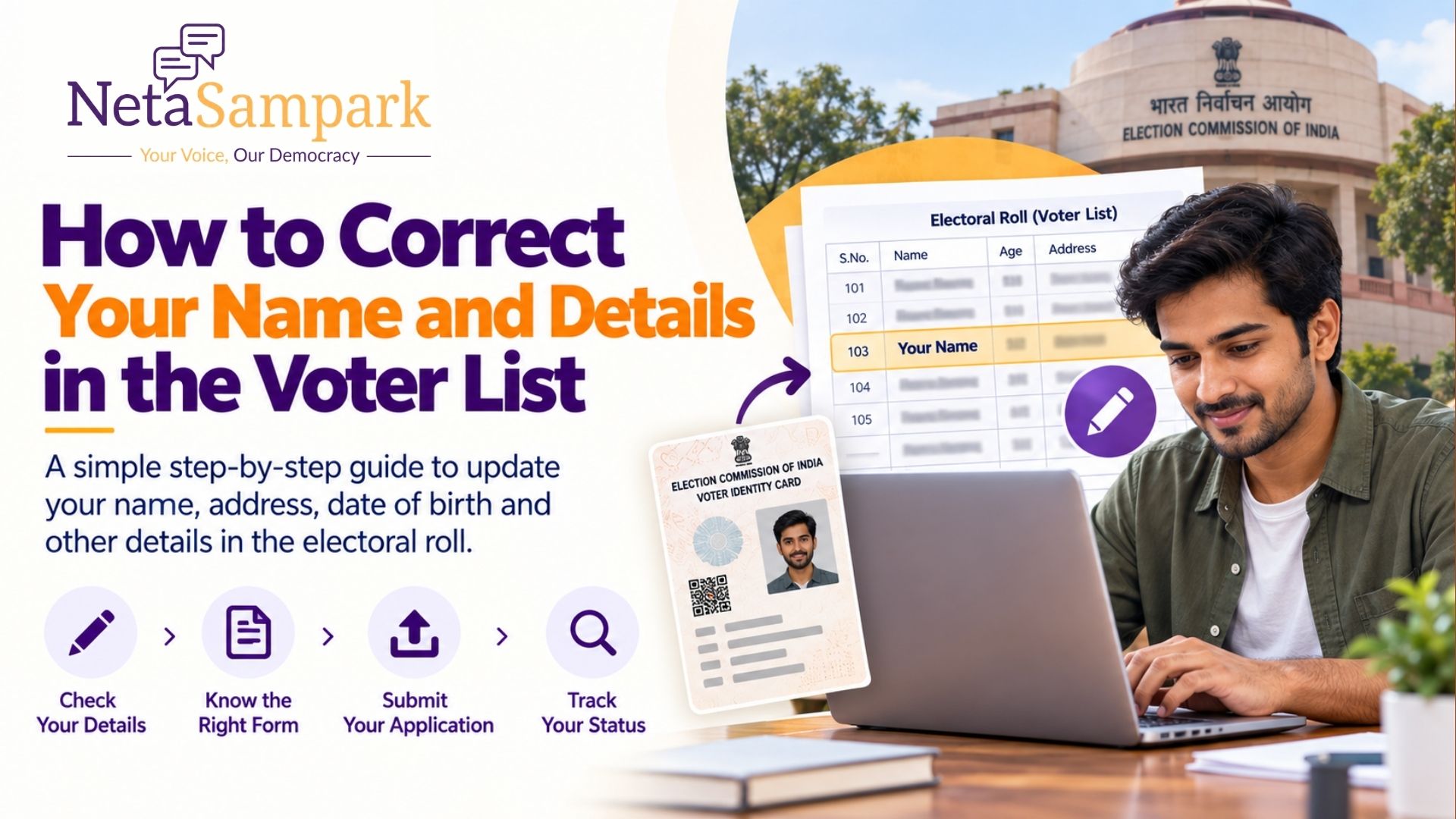
How to Correct Your Name and Details in the Voter List
A spelling mistake in your name, incorrect date of birth, wrong gender, or another error in your voter details can create problems when you need to verify your voter record.
The Election Commission of India (ECI) allows registered electors to request corrections to their existing electoral-roll entries through Form 8. Form 8 is also used for shifting residence, replacement of an EPIC and certain other updates.
The correction can be requested online through the ECI's voter services system or through the appropriate Electoral Registration Officer (ERO).
Quick Answer
If your name or other details are incorrect in the voter list:
1. Go to the ECI Voter Services Portal.
2. Log in or create an account.
3. Select the service for correction of entries in the existing electoral roll.
4. Submit Form 8.
5. Select the details that need correction.
6. Upload the required supporting document.
7. Submit the application.
8. Track the application status.
9. Once approved, verify the corrected details in the electoral roll.
The ECI specifically identifies Form 8 as the form for correction of entries in an existing electoral roll.
What Is Form 8?
Form 8 is the application used by an existing elector to request certain changes to their voter record.
According to the Election Commission, Form 8 can be used for:
* Correction of entries in the electoral roll
* Shifting of residence
* Replacement of EPIC
* Marking an elector as a Person with Disability (PwD)
For correcting an existing voter record, you should select the "Correction of Entries in Existing Electoral Roll" option in Form 8.
If you are a new voter who has never been enrolled, you generally need Form 6, not Form 8.
What Details Can You Correct in the Voter List?
If your voter record contains incorrect information, Form 8 can be used to request correction of the relevant entry.
Examples include:
* Name
* Gender
* Date of birth or age
* Relation details
* Address-related information where applicable
* Photograph
* Other particulars appearing in the electoral roll
The correction request should be supported by an appropriate document or evidence for the change being requested.
Example
Suppose your name appears as:
"Abhishek Patil"
but your official document shows:
"Abhishek Kumar Patil"
You can submit a Form 8 correction request and provide supporting documentation for the requested change.
How to Correct Your Name in the Voter List Online
Here is the general process for correcting voter details online.
Step 1: Open the ECI Voter Services Portal
Visit the Election Commission's Voter Services Portal.
The portal provides services for updating voter information, tracking applications, searching the electoral roll and accessing other voter-related services.
Step 2: Log In or Create an Account
Log in using your registered credentials.
If you do not already have an account, follow the registration process on the portal.
You may need your mobile number and basic personal information to access voter services.
Step 3: Select the Correction Service
Choose the option for updating or correcting your details in the electoral roll.
Select:
Correction of Entries in Existing Electoral Roll — Form 8
The ECI lists this service specifically under its voter services for updating details.
Step 4: Enter Your Voter Details
You will need to provide the relevant details associated with your voter record.
Form 8 includes fields such as:
* Name
* EPIC number
* Aadhaar details
* Mobile number
* Email address
The current Form 8 also allows an applicant to indicate that they do not have an Aadhaar number.
Step 5: Select the Information You Want to Correct
Choose the particular entry that contains an error.
For example, if only your name is incorrect, select the relevant name field rather than requesting unnecessary changes.
Be precise about the correction you are requesting.
Step 6: Upload Supporting Documents
You may need to provide documentary evidence supporting the correction.
The Form 8 guidelines state that applicants requesting correction of an existing electoral-roll entry should attach a document supporting their claim and specify the document provided.
For example, depending on the correction, the supporting document could establish your correct name, date of birth or another relevant detail.
Tip: Make sure the information in the supporting document clearly matches the correction you are requesting.
Step 7: Submit Form 8
Review the information carefully before submitting your application.
Check:
* Your name spelling
* EPIC number
* Date of birth
* Address
* Selected correction
* Supporting document
* Contact information
Then submit the application.
Step 8: Track Your Application
After submission, keep your application or acknowledgement details.
The ECI provides an application-status service through its voter services system, allowing electors to track applications submitted for registration and updation of electoral-roll details.
Step 9: Verify the Updated Voter Record
Once the correction has been processed, search for your name in the electoral roll again.
Do not assume that submitting Form 8 automatically means the change has been approved.
Verify that the corrected information actually appears in your voter record.
How to Correct Voter Details Offline
If you cannot or do not want to apply online, you can also approach the relevant election authorities.
The ECI's FAQ states that an application in Form 8 can be submitted to the Electoral Registration Officer concerned for corrections in electoral-roll entries.
You can seek assistance from the appropriate:
* Electoral Registration Officer (ERO)
* Assistant Electoral Registration Officer (AERO)
* Booth Level Officer (BLO)
Carry the required supporting documents and your existing voter details when submitting the application.
How to Correct a Spelling Mistake in Your Name
A spelling mistake in your name is one of the most common reasons for requesting voter-record correction.
For example:
Incorrect: Ramesh Kumar
Correct: Ramesh Kumaar
or:
Incorrect: Priya Patil
Correct: Priya Patel
To request a correction:
1. Submit Form 8.
2. Select correction of entries.
3. Select the name field.
4. Enter the correct name.
5. Provide supporting documentation.
6. Submit the application.
7. Track the application.
8. Verify the corrected name after approval.
Always enter your name exactly as it should appear in the official voter record.
How to Correct Date of Birth in the Voter List
If your date of birth or age is incorrect in the electoral roll, you can request a correction using Form 8.
You should provide appropriate supporting documentation for the requested change.
The important point is to ensure that the document you submit supports the exact correction being requested.
After the application is processed, verify your updated date of birth or age in the electoral roll.
How to Change Your Photograph on the Voter ID
Form 8 can also be used when an elector wants to change their photograph.
The Form 8 guidelines specify a recent, good-quality, passport-size, unsigned colour photograph with a white background and dimensions of 4.5 cm × 3.5 cm for a photograph change request.
Make sure the photograph meets the specified requirements before submitting the request.
Do You Need a New EPIC Number After Correcting Your Details?
Not necessarily.
The ECI states that when an EPIC is corrected, the new EPIC is issued with the same EPIC number after the necessary correction.
This means correcting your voter details does not ordinarily mean that you receive an entirely new voter identity number.
What If You Have Moved to a New Address?
If the issue is that you have moved to another residence, Form 8 can also be used for shifting your electoral-roll entry to the new address.
This is different from simply correcting a spelling mistake.
When shifting residence, the application is made for the constituency in which your new residence is located, and supporting address proof may be required.
For example:
Old address: Bengaluru
New address: Mysuru
You should request shifting of your electoral-roll entry rather than simply changing a spelling or demographic detail.
What Documents Are Required for Voter List Correction?
The exact supporting document depends on the information you are asking to change.
For a correction request, the ECI's Form 8 guidelines require a document supporting the claim.
Before submitting your application:
* Use a valid supporting document.
* Make sure the document clearly supports the requested correction.
* Enter information consistently across the application and document.
* Upload a clear copy when applying online.
* Keep the original document available if verification is required.
For an address shift, Form 8 lists examples of address proof such as an Aadhaar card, passport, bank or post-office passbook, registered rent lease deed and registered sale deed, among others.
How Long Does Voter List Correction Take?
The processing time can vary depending on the application, verification requirements and the concerned election authorities.
Submitting Form 8 does not mean that the correction is immediately reflected in the electoral roll.
The safest approach is to:
1. Submit the application.
2. Save your application details.
3. Track its status.
4. Check the electoral roll after the decision.
If there is a problem with the application or decision, you can contact the relevant election authorities for clarification.
What If My Voter Correction Application Is Rejected?
If your correction request is not approved, first check:
* Whether the information entered was accurate
* Whether the supporting document was appropriate
* Whether the requested correction was clearly specified
* Whether additional verification was required
The ECI also provides an appeal mechanism against certain orders of the Electoral Registration Officer. During revision, an appeal can lie with the District Election Officer; during continuous updation, the applicable appellate authority can include the District Magistrate/Additional District Magistrate/Executive Magistrate/District Collector, with a further appeal to the Chief Electoral Officer of the State.
Voter ID Correction vs Voter List Correction
These terms are often used interchangeably, but there is an important distinction.
Your electoral-roll record contains your voter information.
Your EPIC/Voter ID is the identity card associated with your electoral registration.
If the information in your electoral-roll record is incorrect, the underlying electoral-roll entry needs to be corrected.
The ECI's Form 8 process covers correction of entries and, where applicable, replacement of the EPIC.
So, if your name is wrong both on the voter record and the physical card, correcting only the physical card may not be enough. Make sure the underlying electoral-roll record is correct.
Can You Correct Voter Details Without Aadhaar?
Yes.
The current Form 8 provides an option for an applicant to indicate that they cannot furnish an Aadhaar number because they do not have one.
Therefore, not having Aadhaar should not automatically prevent you from using the Form 8 process.
Can You Correct Voter Details Through the Voter Helpline App?
The ECI's Voter Helpline App provides voter-related services, including modification of existing voter-registration details and demographic corrections.
If you prefer using a mobile device, you can use the ECI's official voter-service ecosystem to access the relevant service.
Frequently Asked Questions
1. Can I correct my name in the voter list online?
Yes. Registered electors can request correction of existing electoral-roll entries through Form 8 using the ECI's voter services system.
2. Which form is used for voter ID correction?
Form 8 is used for correction of entries in an existing electoral roll. It can also be used for shifting residence, replacement of EPIC and marking an elector as PwD.
3. Can I change my name in the voter list?
Yes. You can request correction of your name in the electoral roll through Form 8 and provide supporting documentation for the requested correction.
4. Can I correct my date of birth in the voter list?
Yes. Date-of-birth or age-related errors can be requested for correction through Form 8, subject to the required supporting evidence.
5. Can I change my address using Form 8?
Yes. Form 8 is also used for shifting residence from one address to another.
6. Will my EPIC number change after correction?
Generally, the corrected/replacement EPIC retains the same EPIC number.
7. What if my name is completely missing from the voter list?
If you have never been enrolled, you generally need to apply for new registration using Form 6 rather than using Form 8.
If you believe you were already registered but cannot find your name, first verify your electoral-roll status and then determine whether you need a correction, re-enrolment or another service.
8. Can I correct my voter details offline?
Yes. Form 8 can be submitted to the concerned Electoral Registration Officer.
Final Checklist for Voter List Correction
Before submitting your correction request, make sure you have:
* Existing voter/EPIC details
* Correct spelling and information
* Appropriate supporting document
* Correct mobile number or contact details
* Clear document copies
* Correctly selected Form 8 service
* Application/acknowledgement details saved
After submission:
* Track the application
* Wait for processing
* Search the electoral roll again
* Confirm that the correction has actually been made
Official Election Commission Resources
For voter corrections, use the Election Commission of India's official voter services rather than unofficial websites.
* ECI Voter Services Portal — voter registration, corrections, application tracking and other voter services.
* Electoral Roll Search — verify your name and voter details.
* Form 8 — correction of entries, shifting residence and related services.
* ECI Forms — official voter-registration and electoral-roll forms.
* Voter Helpline App — access voter services from your mobile device.
How NetaSampark Helps Political Teams Manage Voter Data
For individual voters, correcting an electoral-roll entry is an important part of keeping their voter information accurate.
For political parties, elected representatives and campaign teams, the challenge is much larger: managing voter and constituent information across an entire constituency.
Conclusion
Correcting an error in your voter details is a straightforward process when you use the right ECI service.
For an existing voter, Form 8 is the key form for correcting entries in the electoral roll. You can request corrections online through the ECI's voter services system, provide the necessary supporting evidence, track your application and then verify the updated record.
Most importantly, don't stop after submitting the application. Always check your electoral-roll record again after the correction is processed to make sure the information is accurate before an election.